Skip to content
View in the app

A better way to browse. Learn more.

Ultimate Subaru Message Board

A full-screen app on your home screen with push notifications, badges and more.

To install this app on iOS and iPadOS
  1. Tap the Share icon in Safari
  2. Scroll the menu and tap Add to Home Screen.
  3. Tap Add in the top-right corner.
To install this app on Android
  1. Tap the 3-dot menu (⋮) in the top-right corner of the browser.
  2. Tap Add to Home screen or Install app.
  3. Confirm by tapping Install.

Sub-A-Ru Boise

Members
  • Joined

  • Last visited

  1. I own a 2006 Impreza sedan with 134k miles. When I started the car today I heard a loud squeal. I couldn't tell if it was belt, idler pulley or AC clutch bearing. I removed the idler pulley and checked it. It seems to be rolling fine and not binding. Once I put it back together the squeal was gone until I turned on the fan. When the fan was on it would squeal, when off no squeal. Anyone else experience this? Thoughts on repair. Thanks
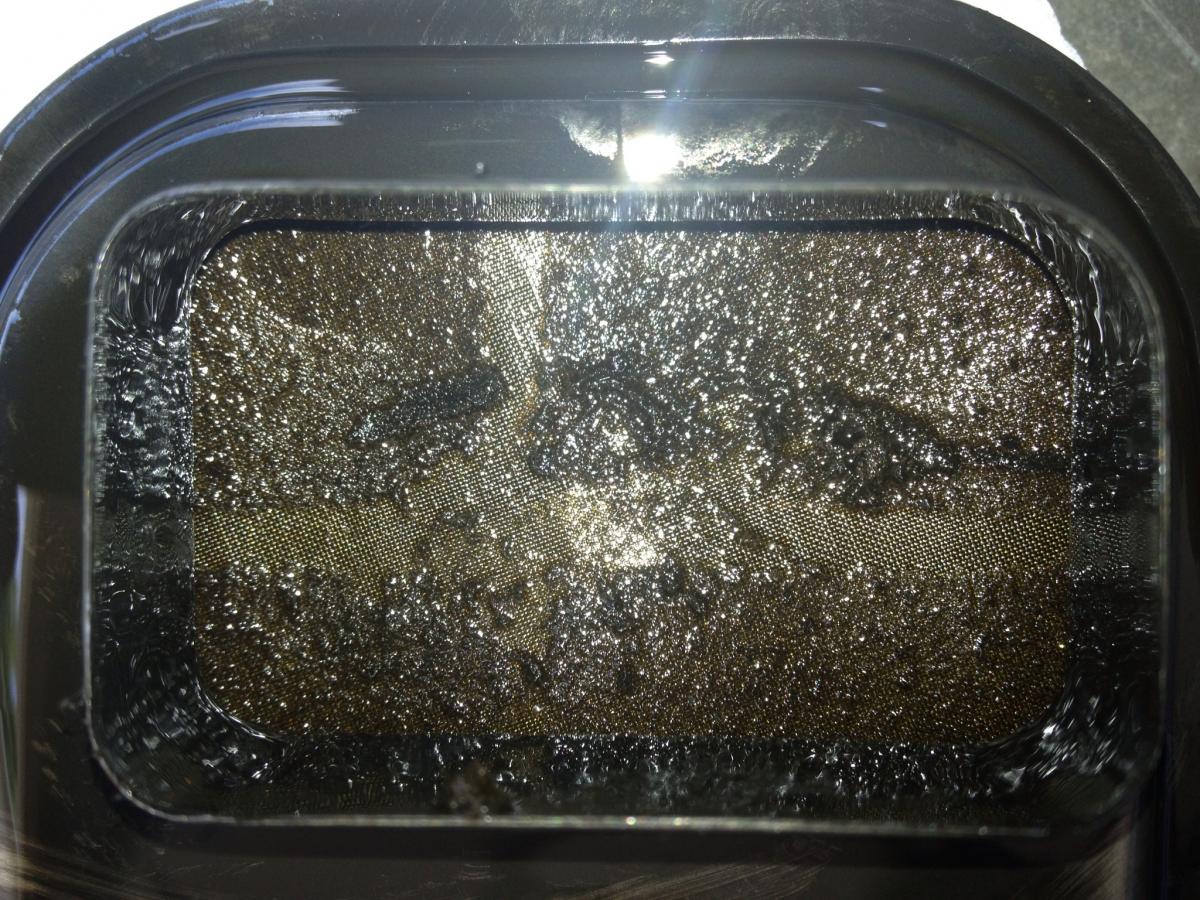
  2. I finished draining the ATF and changing the transmission filter ( the filter was practically clogged, see attached photo). The existing fluid was completely black! Without even adjusting the Brake band all slipping is now corrected. Thanks for the help 987687 and presslab.
  3. I have a 1993 Legacy sedan with 170k miles that I recently purchased. Last week I noticed the tranny slipping as I accelerated from stop. I have identified 2nd gear as the problem. I was planning on changing the ATF and filter today, when I stumbled upon this forum. I get the impression that since the filter is more of a screen that dropping the pan is a waste of time. The fluid is very dirty and probably not been changed in quite a while. I am concerned that the problems are worse than a fluid change will help, but its worth a shot. Any thoughts or ideas would be appreciated.
Account

Navigation

Search

Search

Configure browser push notifications

Chrome (Android)
  1. Tap the lock icon next to the address bar.
  2. Tap Permissions → Notifications.
  3. Adjust your preference.
Chrome (Desktop)
  1. Click the padlock icon in the address bar.
  2. Select Site settings.
  3. Find Notifications and adjust your preference.