Skip to content
View in the app

A better way to browse. Learn more.

Ultimate Subaru Message Board

A full-screen app on your home screen with push notifications, badges and more.

To install this app on iOS and iPadOS
  1. Tap the Share icon in Safari
  2. Scroll the menu and tap Add to Home Screen.
  3. Tap Add in the top-right corner.
To install this app on Android
  1. Tap the 3-dot menu (⋮) in the top-right corner of the browser.
  2. Tap Add to Home screen or Install app.
  3. Confirm by tapping Install.

Playing with tire sizes.

Featured Replies

Yesterday I found a free pair of 235/70 15's and decided to see just how much work they would be to roll with. By the way, I have the two inch lift as described in the offroad section. I have so far spent $4.00 on entire project and that was for the black paint. The wheels are the 2WD Colorado wheels. I am kinda liking it but I will really need to go after it with a sawzall and BFH before I can drive it so here are some pics.

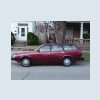
post-40473-136027656166_thumb.jpg

post-40473-136027656173_thumb.jpg

post-40473-13602765618_thumb.jpg

Please sign in to comment

You will be able to leave a comment after signing in

Sign In Now

Account

Navigation

Search

Search

Configure browser push notifications

Chrome (Android)
  1. Tap the lock icon next to the address bar.
  2. Tap Permissions → Notifications.
  3. Adjust your preference.
Chrome (Desktop)
  1. Click the padlock icon in the address bar.
  2. Select Site settings.
  3. Find Notifications and adjust your preference.