November 14, 201411 yr Author Ill check the wire for sure.. If it's the coil, I see a Hitachi and Nippondenso options for coils.. Do they both work? Edited November 14, 201411 yr by ragingbull
November 14, 201411 yr Author Gloyale, you're so right! It's not the coil, I installed a new one, nothing... I checked the wires and they look ok? I put a voltmeter to the first harness/block. It has two red wires and one green one. Im getting power to them. After that it turns into the wiring harness and I have no idea what to do with that.. Where should I start?
November 14, 201411 yr Author Hey can I just run a wire straight from my battery to the ignition coil??
November 15, 201411 yr Hey can I just run a wire straight from my battery to the ignition coil?? Sure,for testing. You will need to remove it to make the engine stop,
November 15, 201411 yr Yes, check that power is supplied to the coil, as above. Other hints: Easy test for no fuel - 1 to 2 seconds of carb cleaner down the throat. Hold gas pedal down about half way. Crank. If it has spark, it will fire for a few seconds, or a burst. If it's very flooded, it may take a try or 2. Check for spark - take the wire from the center of the disty, [other end is connected to the coil] and arrange a spark gap with whatever piece of wire, etc. so you can see it while cranking. About 1/16" gap. You should see a healthy spark.
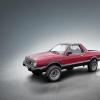
November 24, 201411 yr Author Finally got her fixed! Turns out it was the ignition module in the disty. . I replaced the whole disty with a brand new one back in August, A1Cardone!! Thankfully it's still under warranty..

Please sign in to comment
You will be able to leave a comment after signing in
Sign In Now