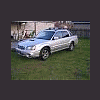
May 8, 200619 yr I have a new baja, and was considering having the 'roll' bars in the back powdercoated as I don't care for the chrome look all that well. Has anybody done this? I know the bars are an intricate part of the car and willl have to be replaced before driving vehicle. How hard are they to remove? Thanks in advance for any reply. Spacinjason
May 8, 200619 yr Never looked at how to remove them,but that is a good idea of changing the color on them.Should look great.
May 8, 200619 yr Jason, Hey man... Fellow baja owner here. I never thought of changing from the chrome color, but I will tell you the bars look to be "bolt on" from what Ive seen. Youll have to remove some of the black plastic cladding, and the inner bedliner sides (held on with clips and screws) I have never "unbolted" mine personally....but I have had the plastic parts off to see how things are connected. Let us know how you make out....and post some PICS!!!

Please sign in to comment
You will be able to leave a comment after signing in
Sign In Now